A Tweek Alternative with More StructureKeep the calm weekly view, add time blocks and AI
Tweek is a lovely paper-like weekly calendar. WeeklyPlanner keeps the calm week-at-a-glance feel, then adds what a plan needs to survive contact with reality: morning / afternoon / evening blocks, priorities, ADHD mode, and AI that can actually touch your tasks.
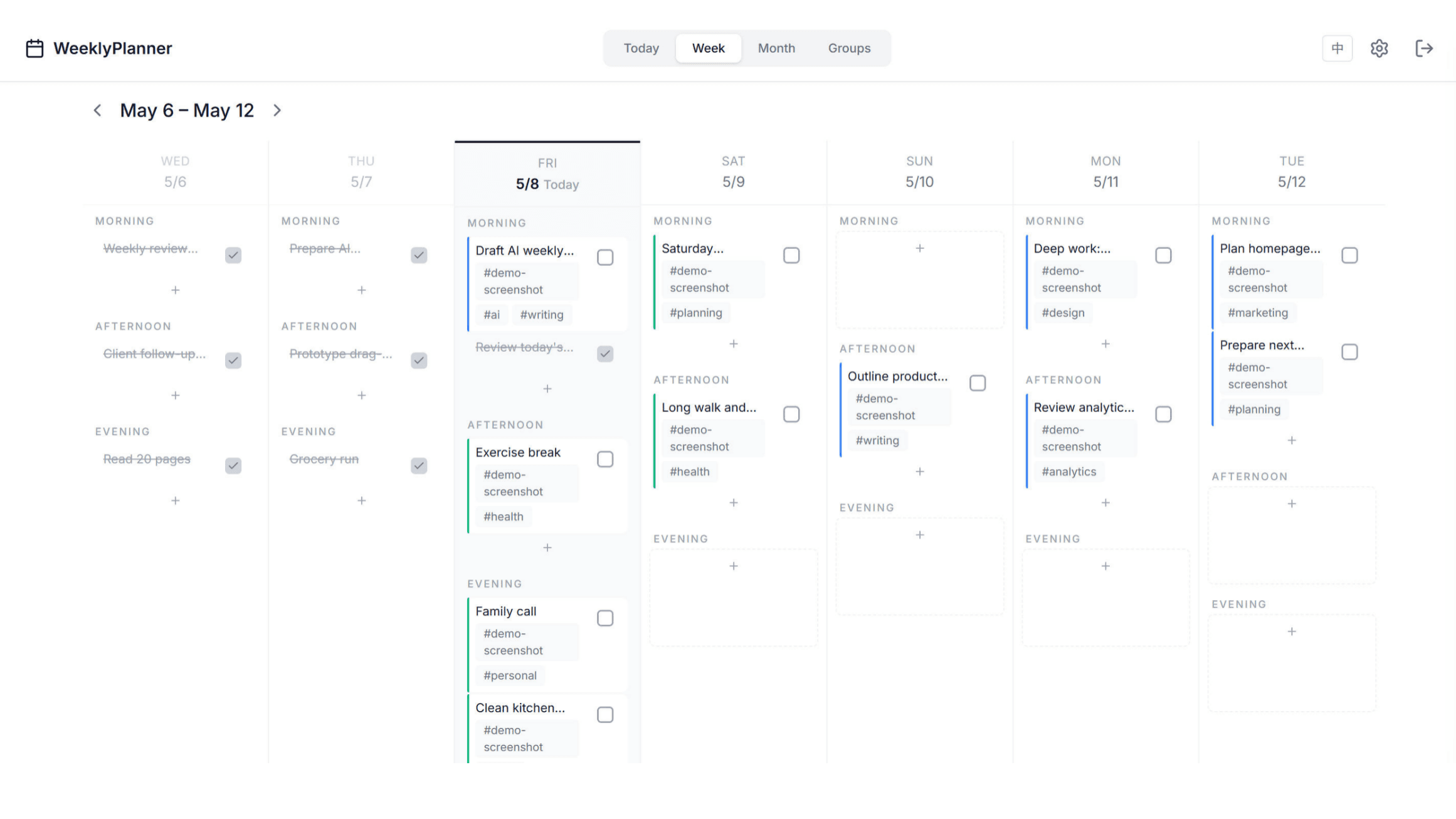
Tweek vs WeeklyPlanner at a glance
Tweek facts checked against tweek.so/calendar/pricing on July 3, 2026. Please verify current pricing on their site - plans change.
| Tweek | WeeklyPlanner | |
|---|---|---|
| Price | Free plan; Premium is $5.99/month or $49.99/year | Free plan; Pro is $3.9/month, $34/year, or $96 lifetime |
| Free plan includes | 2 active calendars, 3 someday columns; recurring tasks, subtasks, reminders, calendar sync, and monthly view are Premium-only | 30 tasks and 2 groups with today + week views, time blocks, ADHD mode, drag & drop, and API/MCP access |
| Time-of-day structure | Simple day columns, paper-calendar style | Morning / afternoon / evening blocks per day, with optional exact times |
| Recurring tasks | Premium | Pro |
| Monthly view | Premium | Pro |
| AI access | Tweek GPT in Premium | MCP server + task API on every plan, so Claude or any assistant can read and organize your real tasks |
| Best for | Fans of a minimal, paper-like weekly calendar | Week-first planning with structure: time blocks, priorities, and AI workflows |
Why people switch to WeeklyPlanner
Time blocks, not just day columns
A day is not one bucket. Morning / afternoon / evening blocks let you plan energy, not just dates - and drag a task from Tuesday evening to Wednesday morning in one motion.
Cheaper where it matters
Tweek Premium is $5.99/month or $49.99/year. WeeklyPlanner Pro is $3.9/month or $34/year - and offers a $96 lifetime option Tweek does not.
AI on every plan
Connect Claude or any MCP-capable assistant to your real tasks, on the free plan included. Ask it to rebalance an overloaded day or write your weekly review from actual completion data.
Built with ADHD in mind
ADHD mode reduces visual noise and keeps today front and center. Smart defer (Pro) quietly moves overdue tasks forward instead of letting them pile into guilt.
When Tweek is the better choice
Honest answer: Tweek's paper-like aesthetic is genuinely beautiful, and if what you want is a pretty, minimal weekly calendar for light planning - especially shared family calendars - Tweek does that with charm. Its free plan may be all you ever need.
Choose WeeklyPlanner when your week needs more structure than a list per day: time-of-day blocks, priorities, recurring routines, and an AI assistant that can work directly with your tasks instead of a copy-pasted list.
Plan your week with real structure
Start free - no credit card. Upgrade to Pro for $3.9/month when you need recurring tasks, the month view, and smart defer.
Try WeeklyPlanner freeExplore More
Frequently Asked Questions
- Is WeeklyPlanner a good Tweek alternative?
- If you like Tweek's calm weekly view but want more structure - time-of-day blocks, priorities, ADHD mode, or AI that can organize your tasks - yes. If what you love about Tweek is precisely its paper-like minimalism and shared family calendars, Tweek remains a fine choice.
- Is WeeklyPlanner cheaper than Tweek Premium?
- As of July 2026, Tweek Premium costs $5.99/month or $49.99/year. WeeklyPlanner Pro costs $3.9/month or $34/year, and also offers a one-time $96 lifetime plan. Both products have free plans.
- Do both free plans include recurring tasks?
- No - in both products recurring tasks are paid features: Premium in Tweek, Pro in WeeklyPlanner. The difference is elsewhere: WeeklyPlanner's free plan includes time blocks, ADHD mode, and API/MCP access.
- Does WeeklyPlanner sync with Google or Apple Calendar?
- No. Calendar sync is a Tweek Premium feature that WeeklyPlanner currently does not offer - tasks live in WeeklyPlanner. Its integration path is AI-first: assistants connect through MCP or the task API.